CASE STUDY
AyosDocs
Multi-tenant document management SaaS
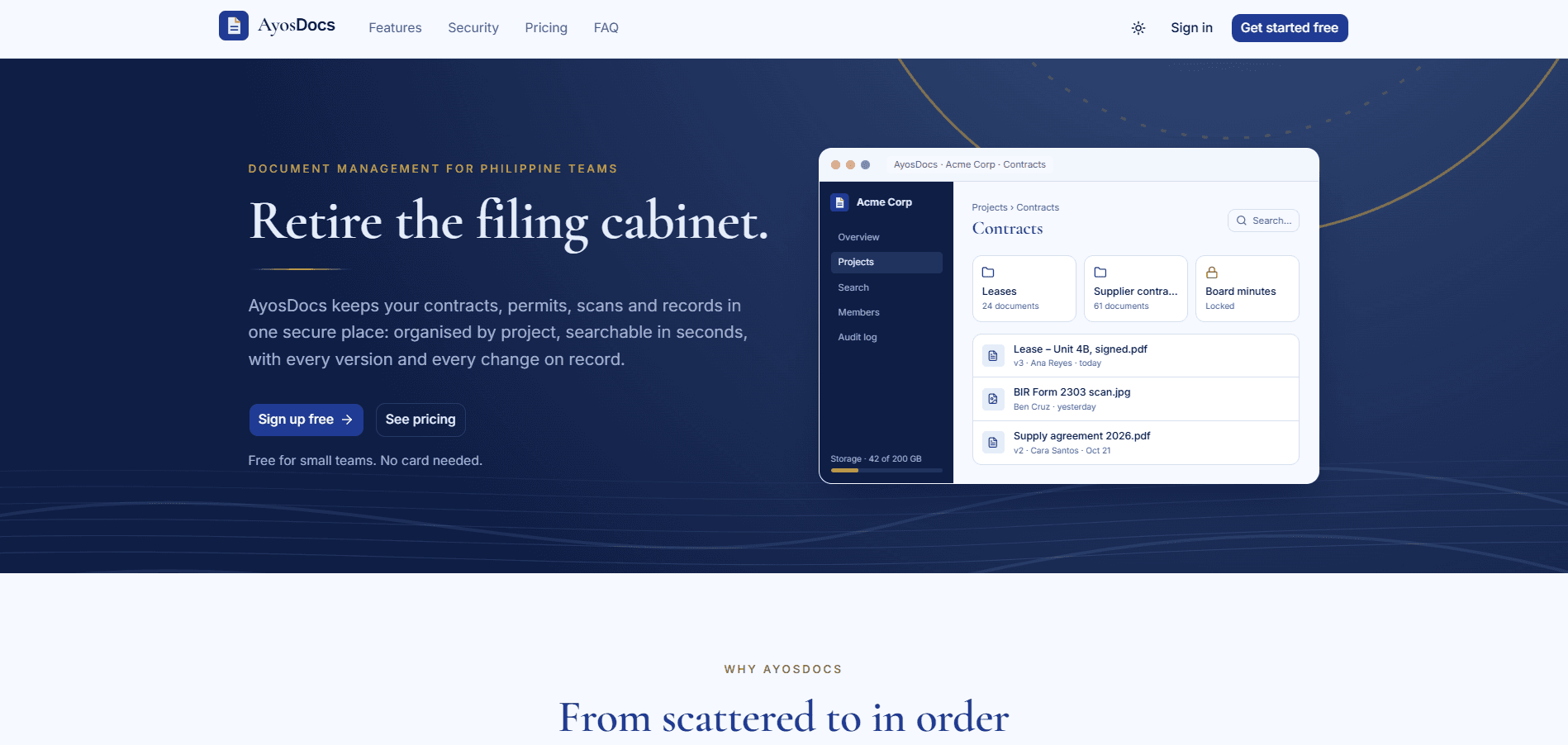
A place for Philippine teams to store, organize, find and share their documents and scans, with roles on each project, version history and billing in pesos. I designed and built all of it on my own, from the database schema and API to the interface, tests and deployment pipeline.
- Role
- Solo developer, design to deployment
- Type
- Personal project
- Status
- Pre-launch hardening, October 2026
23
API modules
24
Database tables
6 / 29
Roles / permission codes
32
Test files
01.The problem
Many small Philippine teams still keep contracts, permits, invoices and scans in shared drives, chat threads and email attachments. Files get duplicated, the latest version is anyone's guess, and sending one file to a client often means sharing the whole folder.
General-purpose cloud drives solve part of this, but they bill in dollars, don't take GCash or Maya, and aren't built around projects with their own roles. AyosDocs is a document system where each team gets its own isolated workspace, people see only the projects they belong to, and billing works the way local businesses already pay.
02.What it does
Workspaces and roles
Every user gets a personal workspace, and teams create more. Workspaces have Owner, Admin and Member roles, each project has its own Admin, Editor and Viewer, and Business plans can lock folders.
Documents and uploads
Upload files or whole folders by dragging them in. Each document keeps its version history, a preview, signed downloads and an activity timeline, and gets a category and any number of tags.
Search
Postgres full-text search over name, description, tags, category and file name, ignoring accents, with filters for project, folder, type, uploader and date. A quick search (Ctrl K) shows the top five results as you type.
Share links
Send one document to someone outside the workspace. Links can expire, need a password and allow or block downloads, and each one tracks its views. Only a hash of the link is stored.
Billing
Free, Pro and Business plans paid in pesos through PayMongo Checkout (cards, GCash, Maya, QR Ph). Upgrades start right away and credit the unused days. Downgrades wait until the period ends.
Admin and audit
Business workspaces get an audit log with CSV export. A platform super-admin panel manages workspaces, users and payments, can re-run failed webhooks and can grant plans.
FREE
₱0
- 500 MB storage
- 2 projects
- 2 seats
- 10 MB files
PRO
₱499 / mo
- 20 GB storage
- 20 projects
- 10 seats
- Share links
BUSINESS
₱2,499 / mo
- 200 GB storage
- Unlimited projects
- 50 seats
- Audit log, folder locks
03.How tenancy works
The workspace is the tenant. It owns the plan, the storage quota, the seats and the billing. Everything under it belongs to exactly one workspace, and access is decided at two levels.
STRUCTURE
- Workspace
- Project
- Folder
- Document
- Version
WORKSPACE ROLES
Owner · Admin · Member
Owners and Admins act as project Admin everywhere.
PROJECT ROLES
Admin · Editor · Viewer
Members see only the projects they've been added to.
WHEN A PERIOD ENDS UNPAID
- Paid period
- 7-day grace
- Free plan
- Read-only if over limits
Every query filters by workspace. Outsiders get a 404.
Roles map to 29 permission codes, so custom roles can be added later
04.Engineering decisions
404, never 403, across tenants
Every workspace request carries a workspace id, and every query filters on it. A user who isn't a member gets a 404, so nobody can probe which workspace ids exist.
Files never pass through the API
The API checks the role, file type, size and storage left, then signs a one-time upload with a file id it picks itself. The browser sends the file straight to private Cloudinary storage, and a confirm step checks it before the document exists. A background job cleans up uploads that are never confirmed.
Quotas that hold under concurrency
Each write that adds usage locks the workspace row inside its own transaction before it checks the plan's limits. Uploads that finish at the same moment can't add up past the storage quota, and a scenario test checks this.
The plan changes only from the webhook
Only PayMongo's signed webhook changes a plan, never the checkout redirect. Each event is stored by its id, so a repeat does nothing. Events that fail are kept and can be re-run from the admin panel.
Nothing is deleted for unpaid bills
An unpaid period gets a 7-day grace period before the workspace drops to Free. If it's then over Free's limits it goes read-only: viewing, downloading and deleting still work, but uploads and invites pause until the owner upgrades or frees up space.
An audit log that can't be rewritten
Each change is recorded in the same transaction as the change itself, with only the fields that changed. A database trigger rejects any UPDATE or DELETE on the audit table, even when it comes from the API's own connection.
05.Testing
In a multi-tenant app the worst bug is one team seeing another team's files. So the API's Vitest and Supertest suite doesn't just test features. It reads the code's own route and service catalogue and checks the rules on every route.
- ▸Tests run in-process against a real PostgreSQL database and a real Redis. Only Cloudinary, PayMongo, Resend and Google are mocked.
- ▸A route catalogue is read from the source, and every route gets 401, 400 and 403 tests for each role, with permission checked before validation.
- ▸A tenant-isolation test sends another workspace's id to every route that takes an id and expects a 404.
- ▸Static checks fail the suite if a service query on a workspace table skips the workspace filter, or if a write isn't audited.
- ▸Scenario tests run a full customer journey and concurrent uploads against the storage quota. A separate load check seeds 100,000 documents and keeps search and listings under 300 ms.
06.Tech stack
- TypeScript
- Express 5
- React 19 (Vite)
- TanStack Router & Query
- Base UI
- Tailwind CSS
- PostgreSQL
- Drizzle ORM
- Redis
- Socket.IO
- Cloudinary
- PayMongo
- Resend
- Zod
- Vitest
- Docker
- Caddy
- Nginx
The public pages (landing, pricing, terms) are prerendered so they load before any script runs. Every green build on main deploys through GitHub Actions to Docker containers behind Caddy for HTTPS, with a health check, Sentry error reports and backups that are tested by restoring them.
Building a SaaS?
I build multi-tenant apps end to end: tenancy, roles, billing and the tests that keep them correct. Let's talk about yours.